



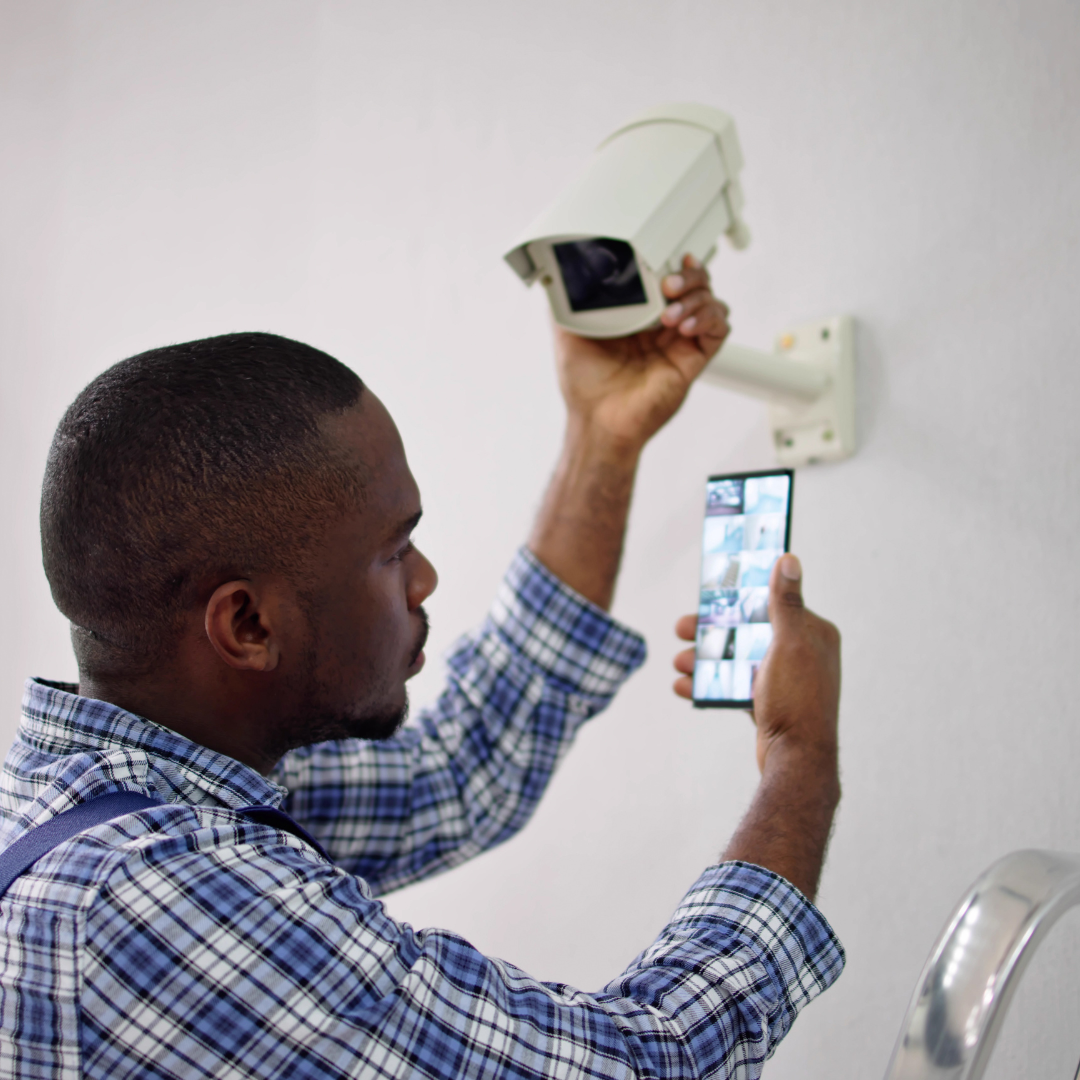
Creating a home CCTV system can significantly enhance security while providing peace of mind for homeowners. To establish an effective surveillance system, it’s essential to assess your property, select the right equipment, and ensure proper installation. With the right approach, he or she can efficiently monitor their surroundings, deter potential intruders, and respond quickly to any suspicious activity.
Choosing the appropriate cameras depending on the area to be covered is vital. Indoor and outdoor cameras serve different purposes, and factors like camera resolution, night vision, and connectivity options matter. Combining this technology with reliable storage solutions will allow them to keep a comprehensive record, ensuring that crucial footage is always accessible when needed.
Besides the hardware, understanding how to configure the CCTV system for maximum efficiency is equally important. This includes setting up remote viewing capabilities and alerts, enabling proactive surveillance. With a well-planned CCTV system, they can enjoy a heightened sense of security in their home.
Choosing Your CCTV Components
Selecting the right components for a CCTV system is crucial for effective surveillance. Important factors include the type of cameras needed, the choice between DVR and NVR systems, storage capacity, and any additional accessories that may enhance performance.
Understanding Camera Types
CCTV cameras come in various types, each designed for specific uses. The most common options include:
- Bullet Cameras: These are cylindrical and ideal for outdoor use. Their range and visibility make them effective for crime deterrence.
- Dome Cameras: Often used indoors, dome cameras have a discreet design. They offer a wide-angle view, making them excellent for monitoring larger areas.
- PTZ Cameras: PTZ (Pan-Tilt-Zoom) cameras can be remotely controlled to adjust their position and zoom. They are suitable for dynamic environments where closer inspection may be needed.
- IP Cameras: These connect to the internet and provide high-resolution images. They allow for remote access and video streaming, enhancing monitoring capabilities.
Choosing the right camera type depends on the area being monitored, light conditions, and privacy concerns.
Selecting a Suitable DVR/NVR
When setting up a CCTV system, choosing between a Digital Video Recorder (DVR) and a Network Video Recorder (NVR) is essential.
- DVRs: are suited for analogue CCTV systems and convert video signals to digital. They usually have limited remote access capabilities.
- NVRs: cater to IP cameras, recording high-quality footage while allowing flexible access through the internet. They typically support more cameras and provide easier integration with existing network systems.
The choice depends on whether one opts for analogue or digital technology. NVRs are generally recommended for new installations focused on scalability and quality.
Considering Storage Options
Storage capacity is a critical factor to consider for video footage. CCTV systems can utilize various storage solutions.
- Internal Hard Drives: Most DVRs and NVRs come with built-in hard drives. It’s important to select a drive with enough capacity to store footage for the desired duration.
- Cloud Storage: This option offers off-site storage, safeguarding footage from local failures. It’s beneficial for remote access but may involve subscription costs.
- Local Network Storage: Additional network-attached storage (NAS) devices can be included for larger storage needs.
Calculating the required storage capacity depends on resolution, recording quality, and desired retention time. A typical estimate is 80-100GB per camera per week.
Additional Accessories
Enhancing a CCTV setup often requires supplementary accessories.
- Cables and Connectors: Ensure all necessary cables, such as RG59 coaxial cables for DVRs or Ethernet cables for NVRs, are available. This facilitates proper connection and functionality.
- Power Adapters and PoE Switches: If using IP cameras, Power over Ethernet (PoE) switches can simplify wiring by providing power through the network cable, reducing installation complexity.
- Mounting Equipment: Brackets and housing units help in securely positioning cameras both indoors and outdoors.
Choosing the right accessories will ensure that the system is fully functional and optimally installed. Proper planning can significantly improve overall surveillance capabilities.
System Installation and Configuration
The installation and configuration of a home CCTV system involves careful planning and execution. Each element, from camera placement to network setup, plays a vital role in system effectiveness and reliability.
Planning Camera Placement
Effective camera placement is crucial to maximise coverage and minimise blind spots. Begin by identifying key entry points such as doors and windows.
Consider environmental factors like lighting, as bright spots can hinder camera performance. Determine the field of view required for each camera and ensure coverage of vulnerable areas.
Key points for placement:
- Use outdoor cameras for external monitoring and indoor cameras for interior spaces.
- Test camera angles by temporarily mounting them before final installation.
- Document placement decisions to aid in later configuration.
Cabling and Power Supply
Proper cabling and power supply are essential for a functional CCTV system. Choose appropriate cables based on camera type: coaxial cables for analogue cameras and Ethernet cables for IP cameras.
Follow these steps for cabling:
- Route cables through walls or use surface-mounted conduits for neatness.
- Power supply can be achieved via direct connection or Power over Ethernet (PoE).
- Ensure cables are long enough to reach from cameras to the Digital Video Recorder (DVR) or Network Video Recorder (NVR).
Additionally, employ mounting brackets for secure installation, adapting to different environments as required.
Recorder Set-Up
The recorder serves as the central hub for CCTV footage storage. Choose between a DVR or NVR depending on camera type. For IP cameras, an NVR is necessary, while analogue cameras connect to a DVR.
Key steps include:
- Connecting cameras to the recorder, ensuring proper recognition.
- Adjusting the recorder’s settings, such as resolution and frame rate, to optimise recording quality.
- Configuring storage options, including video retention periods, to suit security needs.
Check compatibility with operating systems such as Windows, macOS, or Linux for optimal access and management.
Network Configuration
Establishing a reliable network connection is vital for remote access to the CCTV system. Begin by configuring the IP addresses for each camera to avoid conflicts.
Follow these guidelines:
- Connect the NVR to the router to facilitate internet access.
- Create a dedicated subnet for enhanced security and performance.
- Use software tools to manage IP cameras, such as IP camera software compatible with platforms like Raspberry Pi.
Test remote access functions thoroughly to ensure seamless monitoring from devices.
Enhancing Your CCTV Functionality
Enhancing a home CCTV system can significantly improve its effectiveness and versatility. This can involve utilising advanced features, enabling remote viewing, and ensuring compatibility with other devices, allowing for a tailored security solution.
Leveraging Advanced Features
Advanced features can elevate the performance of a CCTV system. Night vision functionality is crucial for capturing clear footage in low-light conditions, ensuring constant surveillance. Motion detection can send alerts to the user when movement is detected, helping to prevent intrusions. Systems that offer AI-driven analytics can recognise patterns and even identify specific objects, further enhancing security measures. Implementing high-resolution cameras adds to the clarity of the footage, making it easier to identify individuals in various environments.
Remote Viewing Capabilities
Remote viewing enables users to monitor their CCTV system from anywhere, using smartphones, tablets, or computers. This capability typically involves mobile apps or web access. Users should ensure their CCTV system supports live footage streaming for real-time monitoring. Many systems also allow for alerts to be sent via email or push notifications, providing immediate updates on security status. For optimal functionality, ensure the system is equipped with H.264 compression, which maintains video quality while reducing file sizes for faster access and storage.
Customisation and Compatibility
Customising the CCTV system is essential for meeting specific security needs. Users can adjust settings, such as recording frequency and camera angles, to cover critical areas. Compatibility with various devices, like smart home systems, enhances usability. Choosing a system that supports open-source software can provide more flexibility, allowing for further enhancements without additional costs. Compatibility with different camera brands can also maintain a cohesive security approach, making it easier to expand the system over time as requirements evolve.
Ongoing Maintenance and System Testing
Maintaining a home CCTV system is essential for ensuring its effectiveness. Regular maintenance and thorough testing can help identify issues early and ensure that the system operates optimally under various conditions.
Routine Check-Ups and Cleaning
Routine check-ups allow for the early detection of potential problems. This includes inspecting the surveillance cameras and associated equipment for physical damage or obstructions. The lenses should be cleaned to ensure clear image capture, especially if they have been exposed to the elements. Dust, rain, or even spider webs can obstruct the view.
It is also important to check the positioning of each camera. Ensure they are still aimed correctly and that no changes in the environment, such as new foliage or structures, obstruct the field of view. Monthly visual inspections can help maintain an effective security perimeter.
Software and Firmware Updates
Keeping the CCTV system’s software and firmware up to date is critical. Manufacturers often release updates that enhance security features and address vulnerabilities. Regularly checking the manufacturer’s app provides notifications of available updates.
Installing these updates helps safeguard against unauthorised access to the system. Neglecting software updates can result in security gaps, so dedicating time each month to this task is advisable. Ensure that devices are connected to a stable internet source for smooth updates.
Testing and Troubleshooting
Testing the surveillance cameras periodically ensures that they function correctly. This can be done by reviewing recorded footage to check for clarity and consistency in video quality.
Identify any issues with lighting conditions that may affect performance, such as sudden darkness or glare. If cameras are not capturing footage as expected, troubleshooting steps like adjusting sensitivity settings or repositioning the device may be necessary.
Setting a schedule for troubleshooting will help maintain system readiness. Checking connectivity to the recording device and ensuring that alarms, notifications, and remote access features are operational can further enhance the effectiveness of the security camera system.